
Big Ambitions System Requirements: PC Specs, Mac Support
Official Big Ambitions PC system requirements: minimum and recommended CPU, RAM, GPU and storage for Windows, plus how the macOS build compares.
Big Ambitions requires 64-bit Windows 10 or macOS and 12 GB storage: Intel i5, 8 GB RAM, and GTX 960 (2 GB VRAM) minimum, or Intel i7, 12 GB RAM, and RTX 2060 (8 GB VRAM) recommended.
Pricing, clearance rules, and capacity benchmarks reflect community-tested BizMan data.
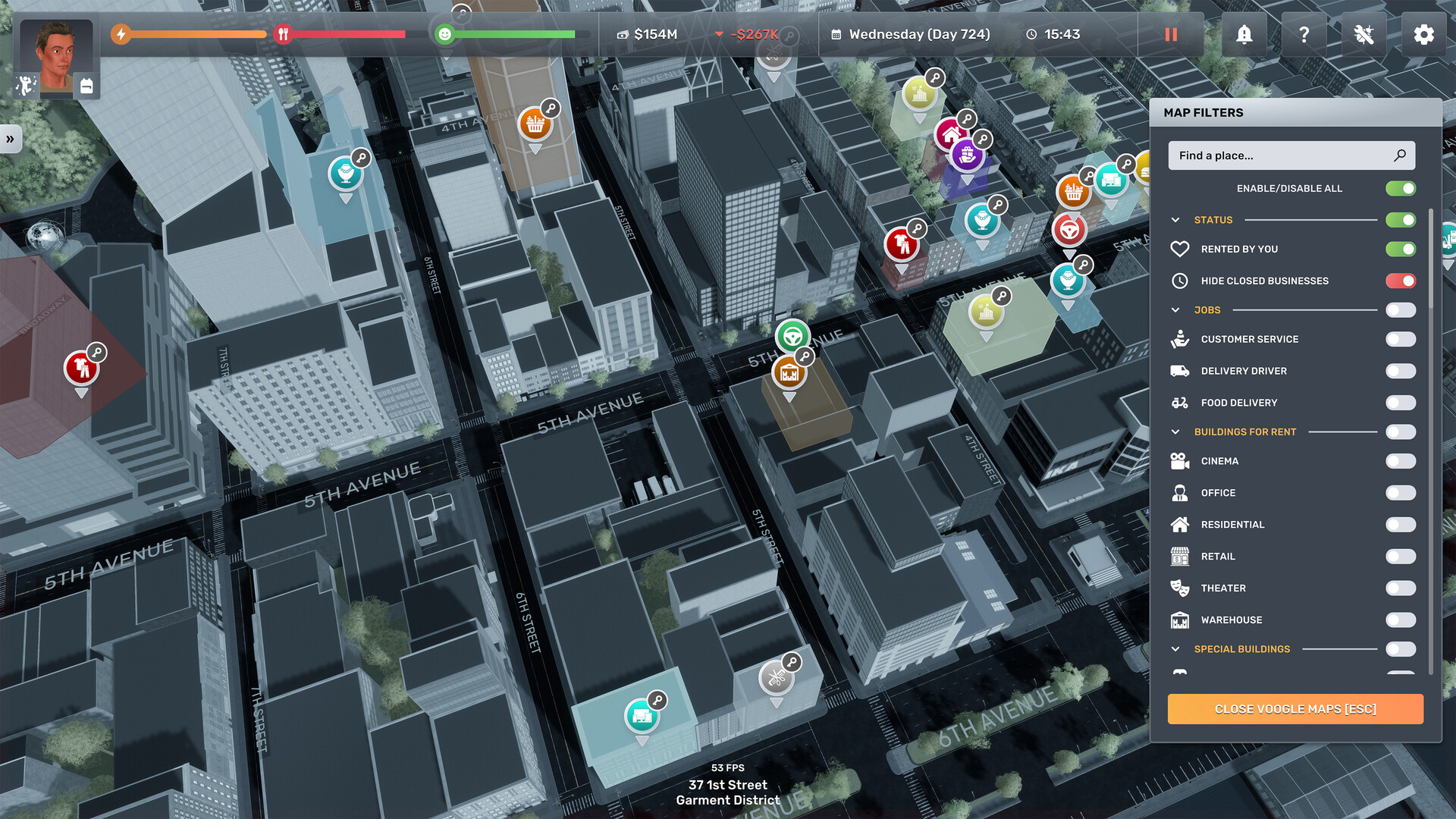
Running Big Ambitions (developed and published by Hovgaard Games, Steam AppID 1331550) smoothly from your first small shop in Hell’s Kitchen to a multi-district Manhattan corporation depends on how well your CPU, system memory, and GPU VRAM handle real-time city simulation. Released in full 1.0 on 28 August 2026 at a standard retail price of $25.99 USD (with 22 supported interface languages and 126 Steam achievements), the game combines street-level navigation with economic simulation across dozens of storefronts, delivery vehicles, and NPC schedules.
Official PC System Requirements (Windows & macOS)
Below are the complete minimum and recommended hardware specifications published on the official Steam store page for Big Ambitions. Both tiers require a 64-bit processor and operating system.
| Hardware Component | Minimum Specification | Recommended Specification | Practical Simulation Impact |
|---|---|---|---|
| Operating System | Windows 10 (64-bit) / macOS | Windows 10 (64-bit) / macOS | 64-bit memory addressing required for city-wide NPC and BizMan simulation |
| Processor (CPU) | Intel i5 or similar | Intel i7 or similar | Governs daily simulation tick speed, NPC pathfinding, and BizMan logistics routing |
| System Memory (RAM) | 8 GB RAM | 12 GB RAM | Extra 4 GB headroom prevents stutters when switching between VoogleMaps and active interiors |
| Graphics Card (GPU) | NVIDIA GeForce GTX 960 or similar (minimum 2 GB VRAM) | NVIDIA GeForce RTX 2060 or similar (minimum 8 GB VRAM) | 8 GB VRAM keeps frame rates stable across dense Midtown billboards, lighting, and traffic |
| Storage Space | 12 GB available space | 12 GB available space | Identical 12 GB footprint in both tiers; SSD installation speeds up save loading |
Two technical details in the official table stand out immediately:
- VRAM is stated as an explicit hard floor in both tiers: 2 GB minimum on the GTX 960 tier, stepping up to 8 GB minimum on the RTX 2060 tier. That fourfold jump in video memory (2 GB to 8 GB) is the single largest hardware gap between minimum and recommended specs.
- Storage remains fixed at 12 GB across both tiers: Unlike titles that require separate high-resolution texture downloads, Big Ambitions fits its entire New York map, interior furniture catalog, and 22 language packs inside a compact 12 GB install.
Why Late-Game Saves Demand Recommended Specs (CPU & VRAM Scaling)
When you first start a save with Uncle Fred’s initial onboarding quests, your hardware only needs to render a single neighborhood block and a 75 m² small shop unit (10 to 15 customers per hour). At that early stage, any machine meeting the minimum spec (an Intel i5, 8 GB RAM, and a 2 GB VRAM GTX 960) runs the game comfortably.
However, as you expand into multiple properties across Manhattan, the simulation workload shifts in three specific areas:
- High-Density Store Interiors: Upgrading from a 75 m² starter shop or a 225 m² medium unit (30 customers per hour) to multiple 1000 m² M1 commercial buildings (75 customers per hour cap) multiplies the number of active NPC shoppers, checkout queues, ceiling lights, floor tiles, and interior fixtures rendered simultaneously.
- City-Wide Logistics & Background Simulation: Once your HQ Purchasing Agents and Logistics Managers route daily deliveries across Midtown, Murray Hill, Lower Manhattan, and the Garment District, the CPU continuously tracks wholesale orders, warehouse delivery schedules, and employee shifts in the background.
- VRAM & System Memory Streaming: Driving past Midtown storefronts, NPC store billboards, cinema standees, and underground parking garages streams dozens of interior and exterior textures into video memory at once. Having an Intel i7, 12 GB RAM, and an 8 GB VRAM GPU (RTX 2060 class) eliminates frame-time spikes when opening VoogleMaps or BizMan overlays in crowded commercial districts.
Post-1.0 Performance Optimizations (Build 3675, Build 3680 & Build 3682)
Hovgaard Games has shipped multiple post-release updates specifically targeting frame-rate stability, memory usage, and rendering glitches after the 28 August 2026 1.0 launch (Build 3672/3674):
| Official Update Build | Release Date | Performance, Rendering & Stability Changes |
|---|---|---|
| Build 3675 Hotfix | 2026-09-14 | Stripped out and replaced AI-generated textures across NPC Store Billboards, 2 plant textures, airplane logos, TV shows, cinema movies, cinema posters, cinema standees, and menu boards |
| Build 3680 (Patch 2) | 2026-09-16 | Major optimization pass reducing lag in the Contacts app, near Columbus Circle, when opening VoogleMaps with many active filters, and near raw-goods importers, alongside general crash and low-FPS fixes |
| Build 3682 Hotfix | 2026-09-23 | Fixed invisible vehicles after underground parking, rain rendering inside Hamptons homes when moving between rooms, chimney fire rendering on the first floor, missing street lines, double billboards, and the blocked 4 22nd St warehouse entrance |
If you previously experienced frame drops near Columbus Circle, sluggishness when filtering properties in VoogleMaps, or stutters inside the Contacts app, updating to Build 3680 (Patch 2) and Build 3682 resolves those exact bottlenecks without requiring a hardware upgrade.
macOS, Apple Silicon & Steam Deck Compatibility Guide
Running Big Ambitions on macOS
The official Steam store page lists both Windows and macOS as supported platforms (with no Linux build listed). Because Hovgaard Games publishes a single unified system requirements table written around Windows hardware (Windows 10, Intel i5/i7, GTX 960 / RTX 2060), Mac players should use the 8 GB / 12 GB RAM and 12 GB storage figures as their baseline. On modern Macs with unified memory, closing background browsers before loading a late-game save ensures the game has full access to system RAM and GPU memory.
Running Big Ambitions on Steam Deck
Steam marks Big Ambitions as Playable on Steam Deck. Because the handheld’s APU clears the minimum 8 GB RAM and 2 GB VRAM threshold, early and mid-game progression runs smoothly out of the box. For steadier frame times when driving through Midtown or inspecting 1000 m² M1 stores, keep your game updated to Build 3680+ and toggle off unnecessary job board announcements (a quality-of-life feature added in Patch 2).
Related Big Ambitions Guides
- Patch Notes Tracker (Build 3675, 3680 & 3682): Full breakdown of every optimization, AI texture replacement, and bug fix since 1.0.
- Best Starting Business Guide: Start your empire with a low-overhead Hairdresser in a 75 m² shop.
- M1 Buildings Guide: Footprint (1000 m²), customer caps (75/hr), and district selection for large retail.
- 100% Interior Rating Guide: How floor tiles, lighting, music speakers, and bathroom stalls maximize customer satisfaction.
Frequently Asked Questions
What are the minimum system requirements for Big Ambitions?
The official minimum requires a 64-bit processor and operating system, Windows 10, an Intel i5 or similar processor, 8 GB RAM, an NVIDIA GeForce GTX 960 or similar GPU with at least 2 GB of VRAM, and 12 GB of available storage space.
What are the recommended system requirements for Big Ambitions?
The official recommended tier requires a 64-bit processor and operating system, Windows 10, an Intel i7 or similar processor, 12 GB RAM, an NVIDIA GeForce RTX 2060 or similar GPU with at least 8 GB of VRAM, and 12 GB of available storage space.
Does Big Ambitions support Mac?
The Steam store listing marks both Windows and macOS as supported platforms, and the game ships on both. The published system requirements are written for Windows, so Mac players should treat them as a general baseline rather than a tested Apple Silicon configuration.
Does Big Ambitions run on Steam Deck?
Big Ambitions is listed as playable on Steam Deck. Since the minimum spec asks only for 8 GB RAM and a GTX 960 (2 GB VRAM) or equivalent, the game's simulation load fits handheld hardware, though late-game city density benefits from Patch 2 (Build 3680) optimizations.
How much storage does Big Ambitions need?
The official listing asks for 12 GB of available space, and that 12 GB figure is identical for both the minimum and recommended tiers.